
neodesk. - The ultimate Windows 11 setup tool !
A tool to make your windows less windows, with customization, automation install & security hardening


The Ultimate Windows 11 Optimization & Customization Tool
Inspired by Linux environments, Neodesk makes Windows 11 feel less "Windows".




🌐 Website, documentation, and downloads link soon ;)
🎯 What's Neodesk?
Neodesk is a powerful all-in-one Windows 11 optimization and customization tool designed to help you transform your Windows experience.
Built with Python and PyQt6, Neodesk combines a modern, intuitive interface with advanced system management capabilities.
Transform your Windows experience in minutes: remove bloatware, install your favorite apps, apply performance tweaks, and create automated deployment configurations—all from a single, beautiful application.
📸 Preview
📝 About This Page & Project Journey
The content presented on this page corresponds to the public README I've written for my NeoDesk project, which you can consult on the GitHub repository.
NeoDesk represents one of the most "complete" projects I have undertaken to date on my personnal time.
➡️ It initially stemmed from a very personal need, and be pushed by two main motivations:
- I have always heavily manipulated my Windows computer, frequently needing to reset my configuration for performance optimization and fresh starts after certain projects or academic years.
- In my work as a system and network administrator, I also needed to create PowerShell scripts to automate the configuration of company user workstations. This experience highlighted the recurring need for efficient Windows automation tools.
- During my final two years of computer science studies, we were asked to develop a project proposing IT innovation—with a business model, a product who responds to a real need, to be realized over a two-year period, on free time, with a free subject.
I had several topics in mind, some more focused on cybersecurity, but honestly, NeoDesk was the subject closest to my heart.
I spent these past two years working on this project, from its initial reflection to its conception, through many iterations, testing different languages ranging from Python to Rust with Tauri.
➡️I will be defending this project in April 2026 before an examination committee, then presenting it at a student convention organized by my University in June 2026.
Currently, I am in the final development phase.
I hope to be able to share more very soon.
I am eager to finally make public all my work from these past two years on this project and to receive concrete feedback from users.
I hope NeoDesk can provide a solution to a problem I have always had, for which I have never found a sufficiently convincing equivalent.
Actually the hardest part of neodesk is slit in two :
- Base app, UX/UI and optimized with executable generation and lot of cool features
- Security hardening feature. I want to allow user through a simple interface to harden deepen and simply as possible their setup. I don't want to make it placebo, or IA slop, I actually studying how Windows work and what really matter in terme of security hardenning, after all that I need to find a way to integrate it to neodesk in a simple and efficient way.
This project, I intend to continue in the long term, maintain it, and make it evolve.
Thanks you for reading this far, and with hope you will try NeoDesk when it will be released !
✨ Key Features
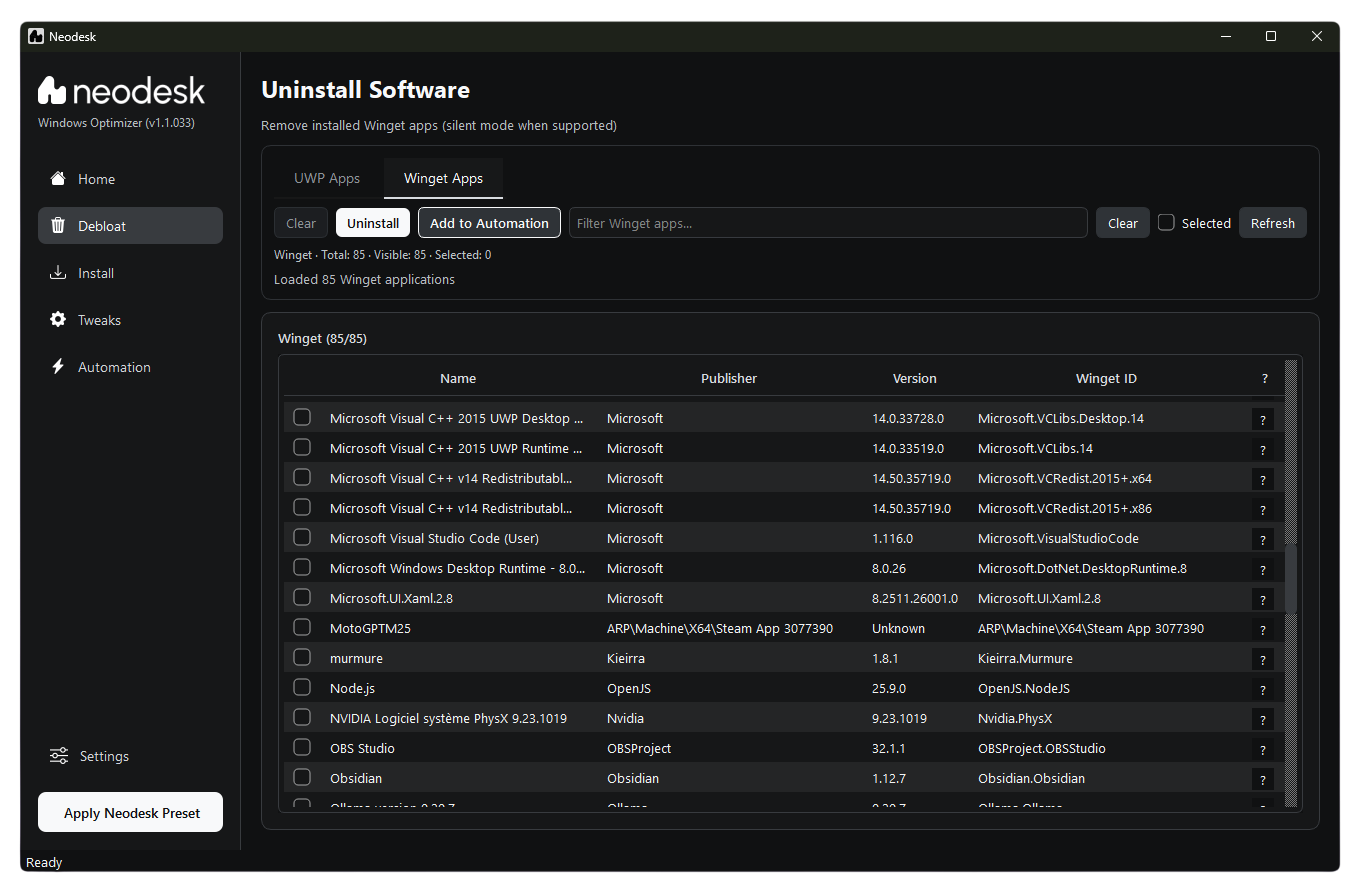
🗑️ Debloat Windows
- Remove pre-installed bloatware and unwanted UWP apps
- Export/import custom app removal lists
- Easy research system on apps you want to remove
- Safe uninstallation with system protection
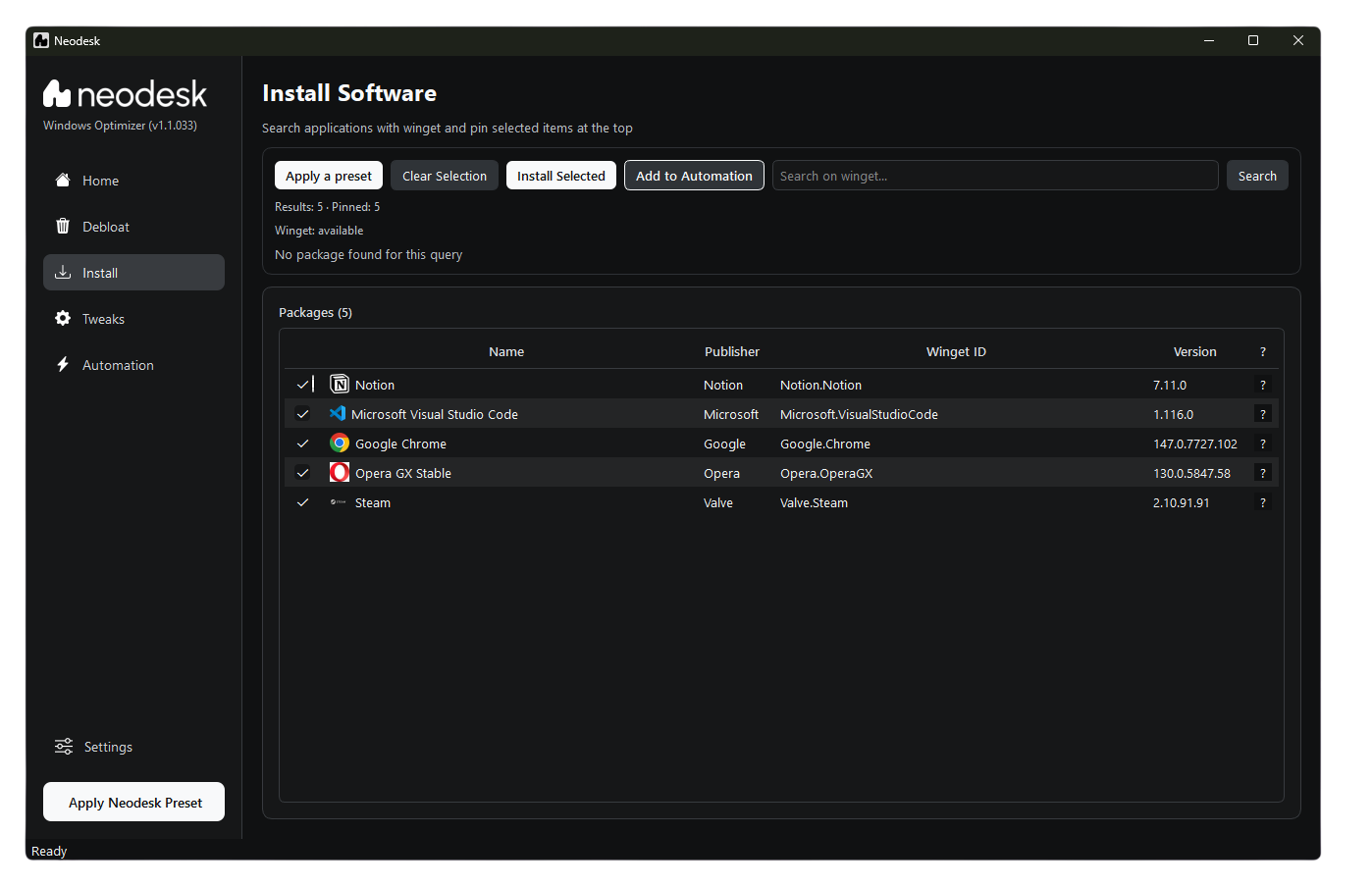
⬇️ Software Installation
- Browse and install from 10,000+ apps via Winget
- Categorized software catalog with popular apps
- Batch installation support
- Silent installation mode
⚙️ System Tweaks
- Multiple PowerShell optimization scripts
- Performance, privacy, and appearance tweaks
- One-click Windows 10/7 classic experience
- Registry modifications with full reversibility
⚡ Automation Generator
- Create custom configuration presets
- Generate standalone executables for easy sharing and deployment
- Perfect for IT professionals and system administrators who actually manage all setup by hand
- Share configurations across multiple PCs
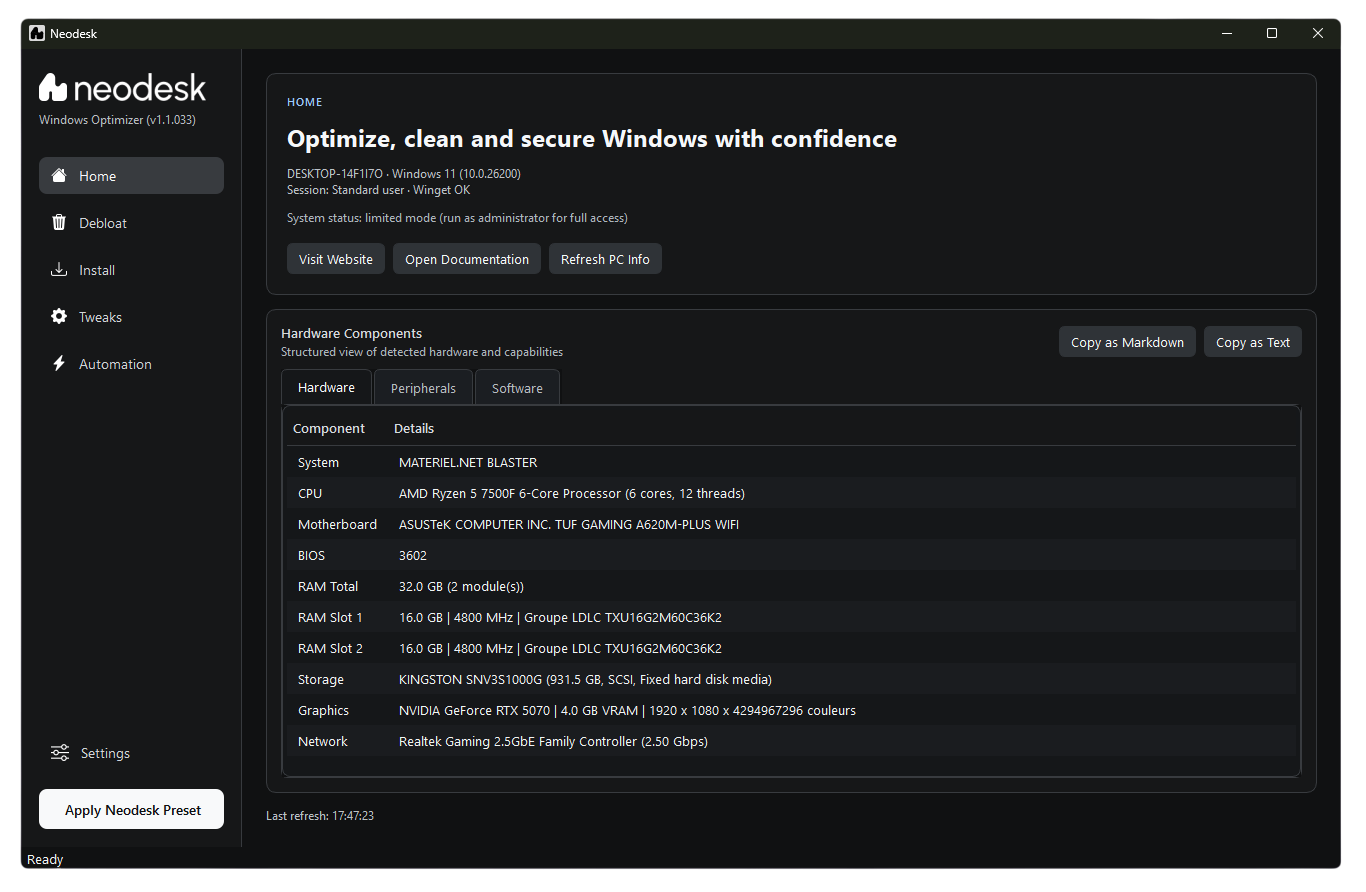
📊 System Information
- Detailed hardware and software information
- CPU, RAM, GPU, storage, battery, and display specs
- Export system reports
- Real-time monitoring
🛡️ Deep security hardening
- Advanced security and privacy settings
- Comprehensive system hardening configurations
- Export/import security profiles
- Real-time security monitoring & tools integration (Hardenning Kitty)
📸 Application Screenshots
Home Interface
Debloat Module
Software Installation
🤔 Why Choose Neodesk?
| Feature | Neodesk | Manual Setup |
|---|---|---|
| Time to optimize | ⚡ 5 minutes hand & 15 minutes automated | ⏱️ 3+ hours |
| Bloatware removal | ✅ One-click | ❌ Manual per app |
| App installation | ✅ Batch install | ❌ One by one |
| System tweaks | ✅ 16+ scripts | ❌ Manual registry edits |
| Automation | ✅ Generate executables | ❌ Do it all again by hand |
| User-friendly | ✅ Modern GUI | ❌ Command line or multiple executable files |
🎁 Neodesk Preset
Get started instantly with the Neodesk Preset—a curated configuration that:
- ✅ Removes bloatware apps (Teams, Edge, OneDrive, Cortana, Xbox, etc.)
- ✅ Installs essential apps we recommend you to use (Zen, Discord, Steam, VLC, Spotify, VS Code, etc.)
- ✅ Applies performance and privacy tweaks
- ✅ Optimizes Windows for maximum performance
One click. Fully optimized Windows. No hassle.
💻 System Requirements
- OS: Windows 11 (64-bit)
- Winget: Pre-installed on Windows 11
- PowerShell: 5.1+
- Admin Rights: Required for most features
📥 Download & Installation
Option 1: Download Executable (Recommended)
- Visit neodesk's Website soon !
- Download
neodesk - Run as administrator
- Start optimizing!
Option 2: Winget installation
The goal !!! But not yet & not soon, but this can be really cool
🛠️ Tech Stack
- Language: Python 3.12+
- GUI Framework: PyQt6
- System Info: psutil, GPUtil, wmi, screeninfo
- Package Manager: Winget integration
- Scripts: PowerShell automation
🤝 Contributing
While Neodesk is closed-source, we welcome:
- 🐛 Bug reports
- 💡 Feature suggestions
- 📖 Documentation improvements
- 🌍 Translations
On our soon released website, you'll find a contact form to send us your feedback !
📜 License
Neodesk is proprietary software. This repository is for community engagement, issue tracking, and documentation purposes only. The source code is not available for redistribution or modification.
🌟 Show Your Support
If Neodesk has helped you optimize your Windows experience, please consider:
- ⭐ Starring this repository
- 🐦 Sharing on social media
- 💬 Tell your friends about neodesk !
Your support helps us continue improving Neodesk!
Made with ❤️ for Windows lovers or convert Linux users
© 2026 Neodesk. All rights reserved.